

SMPOS : Stock & POS
SMPOS : Stock & POS

Offline-first POS & inventory
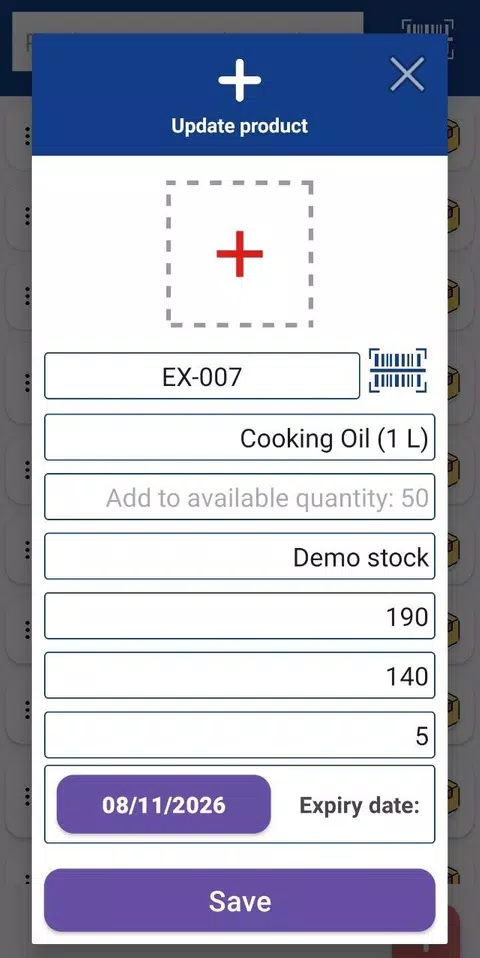
Product catalog + barcode scanning
Real-time stock tracking & alerts



Key Features of SMPOS : Stock & POS
Transform your experience with SMPOS : Stock & POS's main features.
Offline-first POS & inventory
Runs core stock and sales operations fully offline using a local Room Database—no internet required for day-to-day use.
Explore features and benefits.
Experience innovation at hand.
Download and start using.
Product catalog + barcode scanning
Create and manage products with categories, tags, prices, images, and barcodes; includes built-in ZXing barcode scanning for fast lookup and checkout.
Improved performance and stability.
Regular software updates.
Enhanced user experience.
Why choose SMPOS : Stock & POS
Streamline your life with SMPOS : Stock & POS today!

Real-time stock tracking & alerts
Automatically updates inventory after each sale or stock change, tracks inbound/outbound/adjustments, and notifies you with low-stock alerts.

Fast sales screen with discounts
Quick checkout flow with search by name/barcode/category and support for discounts at item level or on the full order total.

Invoices/receipts (PDF) + printing
Generates professional PDF invoices/receipts (iTextPDF) and supports printing to Bluetooth or network printers directly from the app.


Reviews about SMPOS : Stock & POS
Discover our users' feelings and comments.
I've been using SMPOS : Stock & POS for a while, and it’s amazing! The design is intuitive, and the features work seamlessly.

User 1
May 16, 2026
I can't get enough of SMPOS : Stock & POS! It’s fun and engaging. It’s worth every download!
User 2
May 5, 2026
SMPOS : Stock & POS has greatly enhanced my experience. The performance is top-notch. Five stars from me!
User 3
Apr 21, 2026
FAQs about SMPOS : Stock & POS
Browse the most frequently asked questions that you may interested in.
What is SMPOS : Stock & POS?
SMPOS is an Android app that combines inventory/stock management and point-of-sale (POS) in one system, aimed at small businesses such as retail stores and warehouses. It supports managing products, tracking stock movements, and recording sales.
Does SMPOS work offline?
Yes. SMPOS is designed to work fully offline for core operations using a local Room Database; internet is not required for day-to-day selling and stock tracking.
Does SMPOS have barcode scanning?
Yes. It includes built-in barcode scanning using ZXing, so you can scan items with the device camera without needing dedicated scanning hardware.
Can SMPOS generate invoices/receipts and export reports?
Yes. SMPOS can generate PDF invoices/receipts (using iTextPDF) and provides reports such as sales summaries and inventory reports, which can be exported as PDF.
What payment methods can be recorded in SMPOS?
SMPOS supports recording payments such as cash, bank transfer, and credit payments, and each transaction updates inventory in real time.
Does SMPOS support printing receipts?
Yes. It can print to Bluetooth or network printers directly from the app.
Does SMPOS support backups or syncing across devices?
Yes. It supports automated and manual backups (via WorkManager). It also mentions wireless database sharing via Google Nearby API and optional Firebase Cloud Sync for multi-device access.
How can I contact SMPOS support?
Support email listed on the official site content: noureddinne.office@gmail.com.
Start your free trial for SMPOS : Stock & POS today!
Enjoy your everyday with SMPOS : Stock & POS.
Let's keep in touch!
Subscribe to our newsletter for the latest news and updates.
By subscribing, you agree to SMPOS : Stock & POS Privacy Policy.